See more of your fleet with our brand new Map Module update
Gain more oversight and control over your fleet with the brand new map update, including visual optimizations, improved search functions, and brand new features.
.png)
The Map module on the LISA Dashboard has received a update, focused on improving the visual overview of the map, as well as the addition of a few key features and the fine-tuning of some existing ones.
Visually, the background of the mass is less busy, and the contrast with the display items has been increased for better visibility. The vehicle icons are now identical to the in-app files, so you can immediately see which vehicle model you are looking at. Virtual and physical stations have received separate icons to more easily distinguish them from one another for operators that use both physical and virtual stations, and we have also included the virtual parking zones and buffer zones to the map view to enable operators to see exactly how the virtual stations are set up in the context of the map module.
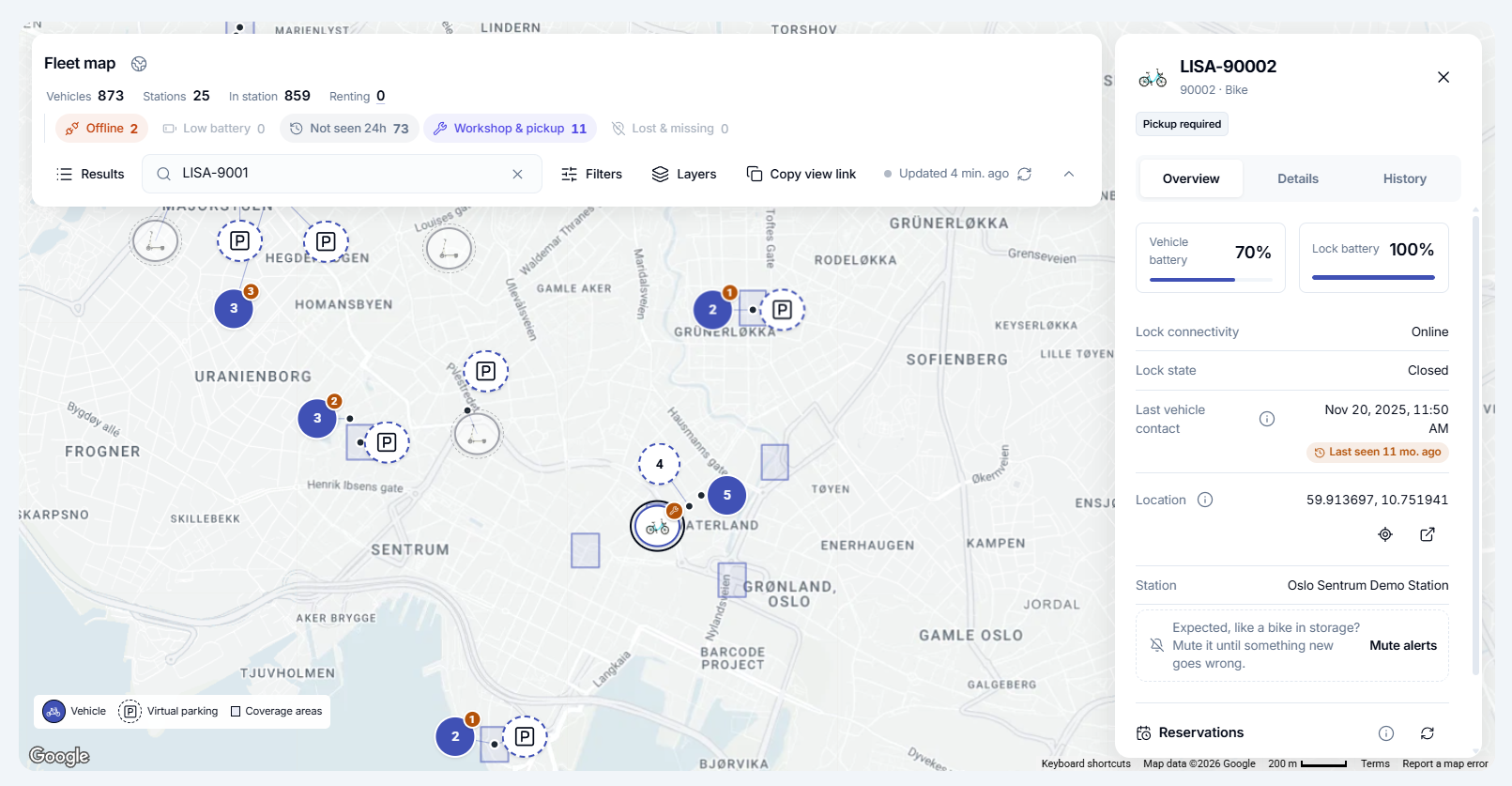
The search bar has seen its own overhaul, with the addition of more specific search conditions. Critical status buttons have been added to enable the operator to immediately search for vehicles that require attention, whether it's bikes that have gone offline or lost connection to the system, or if its to overview which bikes are in need of pickup and where they are. The LISA Dashboard now automatically creates Alert tags for vehicles when their statuses change, so the operator can immediately find them via the new critical status buttons. Furthermore, the Filter function has been significantly upgraded, and now allows for specific and detailed filter searches, and the new Layers function allows you to toggle the visibility of map items, to allow you to only see exactly what you're looking for, whether that is vehicles, stations, or virtual parking zones.
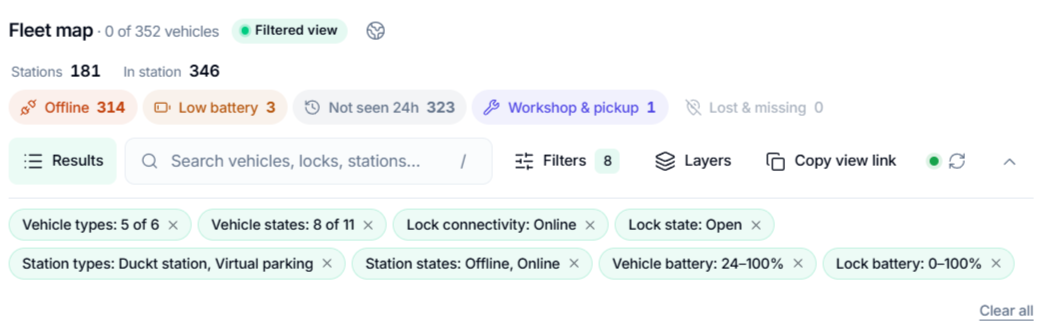
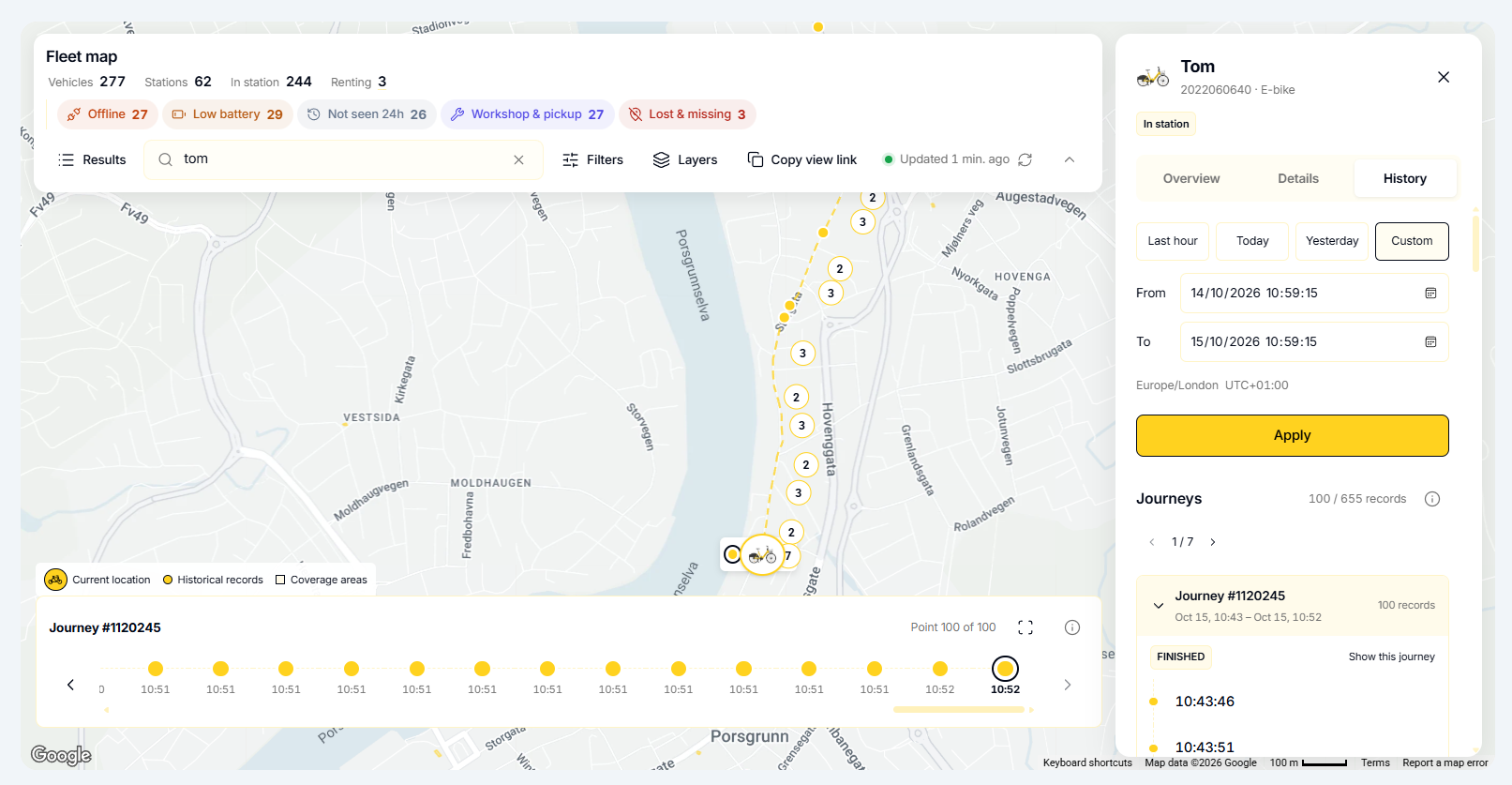
We have added some completely new features to further enhance the scope of the map module. We have added the option for operators to copy a view link of their current search results, to easily share exact search results with other colleagues on the LISA Dashboard. The new Cluster inspection function allows you to select any cluster of items on the map to immediately bring up a list of all the individual items in a neat list rather than having to click on the specific item you want to inspect. Once you have selected your item, the new Item inspection panel will appear. Here you can immediately display more detail about your item, as well as get access to hands-on functions. For stations, the map will display its exact location, how many and which vehicles are parked there with a brief overview of their details, as well as any potential docks and their respective statuses. For vehicles, you will see their status, location, battery levels, and connectivity details, and their history, where you can now see exact historical geo-location points of a vehicle's journey during a rental.
Availability
The Map Module update is now live and available to all Operators
Want to see this in your own operation?
We will walk you through the platform using your fleet, your cities and your way of working.